



Before introducing Virtual Meter, let’s look at two typical use cases.
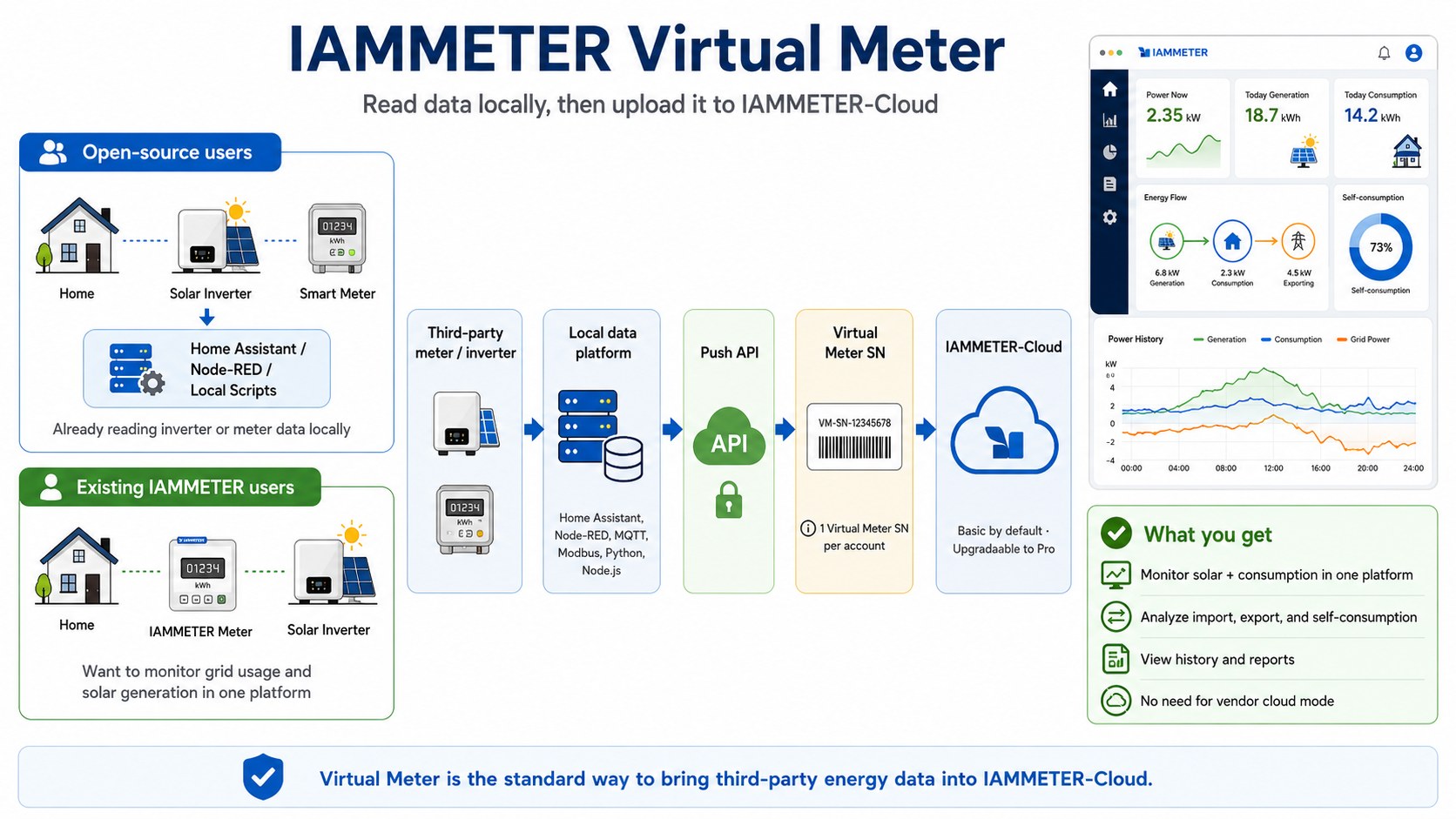
Many users of Home Assistant, Node-RED, or other open-source platforms are already able to read data locally from inverters, smart meters, batteries, or other energy devices.
For example, they may already be:
These users may already have local data collection working well. However, if they want to try a more professional home solar monitoring and energy management platform, they can consider using IAMMETER Virtual Meter.
With IAMMETER-Cloud, users can further analyze:
Users can keep their existing local system and simply upload the collected data to IAMMETER-Cloud through the API. In this way, they can experience a more complete home solar monitoring and energy management solution without replacing their current local setup.
Another common use case is for users who are already using an IAMMETER meter.
For example, a user may already have an IAMMETER meter installed on the grid side to monitor:
Later, the user installs a solar inverter. Although the inverter manufacturer usually provides its own monitoring system, the user may still prefer to monitor both grid data and solar generation data in one single platform: IAMMETER-Cloud, instead of switching between IAMMETER-Cloud and the inverter manufacturer’s app.
In this case, Virtual Meter can be considered.
If the inverter data can be read locally, for example through Home Assistant, Node-RED, Modbus, local API, or MQTT, the inverter generation data can be uploaded to IAMMETER-Cloud and displayed as a Virtual Meter.
Then IAMMETER-Cloud can show:
This means users do not necessarily need to install an additional physical meter to measure inverter output. As long as the inverter data can be read reliably, it can be uploaded to IAMMETER-Cloud through Virtual Meter, enabling unified monitoring of both solar generation and household electricity usage.
IAMMETER Virtual Meter is a virtual device service provided by IAMMETER-Cloud. It is not a physical hardware product. Instead, it acts as a cloud data entry point for receiving uploaded data from third-party smart meters, solar inverters, or other energy devices.
With Virtual Meter, users can integrate non-IAMMETER hardware data into IAMMETER-Cloud and use IAMMETER-Cloud for energy monitoring, solar monitoring, historical analysis, reports, and visualization.
Virtual Meter is especially useful for users who:
The original Virtual Meter document also describes it as a way to integrate third-party smart meters and solar inverters into IAMMETER-Cloud for monitoring, analysis, and reporting.
In short, Virtual Meter is designed for users who can already obtain energy data locally and want to upload that data to IAMMETER-Cloud for centralized analysis.
Virtual Meter is not a standalone monitoring platform. It is a virtual device access method inside IAMMETER-Cloud.
IAMMETER-Cloud is IAMMETER’s online energy monitoring platform. It can be used to view real-time power, energy consumption, solar generation, self-consumption rate, electricity bill analysis, and historical reports.
IAMMETER-Cloud currently provides two service plans:
You can find the feature comparison here:
👉 Feature comparison between IAMMETER-Cloud Basic and Pro
For Virtual Meter, IAMMETER provides IAMMETER-Cloud Basic service in SN mode. This means that each Virtual Meter is assigned a virtual SN, and users can add this Virtual Meter SN to IAMMETER-Cloud just like adding a physical IAMMETER meter.
Please note:
The relationship can be understood as follows:
Third-party meter / inverter / local system
        ↓
Virtual Meter Push API
        ↓
Virtual Meter SN
        ↓
IAMMETER-Cloud Basic / Pro
        ↓
Energy monitoring / solar analysis / historical data / reports
Therefore, Virtual Meter does not replace IAMMETER-Cloud. Instead, it provides a standard entry point for third-party devices to upload data into IAMMETER-Cloud.
As long as users can read third-party device data locally, they can upload it through the Virtual Meter SN and use IAMMETER-Cloud for energy monitoring, solar analysis, and reporting.
We no longer recommend focusing on cloud mode integrations based on different inverter vendors’ cloud platforms.
The recommended approach is:
This method is clearer, more open, and easier to extend.
It does not depend on a specific inverter manufacturer’s cloud platform, nor is it limited to a few supported brands. As long as voltage, current, power, energy, or other required data can be read locally, the data can be uploaded to IAMMETER-Cloud through the API.
IAMMETER provides a Push API for Virtual Meter. Users can upload meter data through HTTP/HTTPS POST requests.
We recommend keeping and referring to this tutorial:
📘 How to push data from a third-party smart meter to IAMMETER-Cloud with Postman demo
This article demonstrates the complete process with Postman, including:
For example, three-phase data can be uploaded in the following structure:
{
  "version": "1.1",
  "mac": "B0F8932A2962",
  "SN": "59D3E0C2",
  "Datas": [
    [220, 1.2, 260, 100.5, 20.1],
    [221, 1.0, 210, 98.3, 18.6],
    [219, 1.1, 240, 102.7, 21.4]
  ]
}
Each phase follows this data format:
[voltage, current, active power, import energy, export energy]
For single-phase devices, the Data field can be used to upload single-phase data.
This means that as long as the data from a third-party device can be read by a local program, it can be uploaded to IAMMETER-Cloud through the unified API.
Many users already use Home Assistant to manage home energy devices. Home Assistant supports a wide range of inverters, smart meters, batteries, EV chargers, and smart home devices.
If your meter, inverter, or other energy device is already integrated into Home Assistant, you can use IAMMETER-Link to upload Home Assistant sensor data to IAMMETER-Cloud.
Recommended example:
📘 Connect Home Assistant Energy Devices to IAMMETER Cloud
The core workflow is:
This makes Home Assistant a powerful local compatibility layer.
For example:
then that data can be uploaded to IAMMETER-Cloud for centralized visualization and analysis.
In addition to Home Assistant, other local platforms or custom programs can also be used.
For example, users can:
The overall workflow remains the same:
Third-party device
   ↓
Local data platform
(Home Assistant / Node-RED / Python / Node.js / MQTT / Modbus)
   ↓
IAMMETER Virtual Meter Push API
   ↓
IAMMETER-Cloud
   ↓
Energy monitoring / solar monitoring / historical analysis / reports
The key point is not which local platform is used.
The key point is:
As long as you can reliably obtain the device data, you can upload it to IAMMETER-Cloud through the IAMMETER API.
If a user has already installed a third-party smart meter and can read voltage, current, power, and energy data locally, the data can be uploaded to IAMMETER-Cloud through the Virtual Meter Push API.
In this way, the user does not need to replace the existing meter, but can still use IAMMETER-Cloud for energy analysis and reporting.
Many inverters support local data access through local APIs, Modbus, MQTT, or Home Assistant integrations.
If users can already read inverter generation data locally, they can upload the inverter as a Virtual Meter to IAMMETER-Cloud.
This allows inverter generation data and grid-side energy data to be analyzed together in IAMMETER-Cloud, which is especially useful for home solar monitoring.
For users who already use Home Assistant, it can act as a central local data hub.
Users can first integrate different brands of devices into Home Assistant, then select stable sensor entities and upload them to IAMMETER-Cloud.
For example:
Compared with cloud mode integrations that depend on different vendors’ cloud platforms, the local reading + Push API method is more suitable as a long-term recommended solution.
It is not limited to a few inverter brands. As long as the data can be read locally, it can be uploaded.
Data is collected and processed locally before being uploaded to IAMMETER-Cloud, making the workflow clearer.
It can support smart meters, inverters, batteries, EV chargers, and other energy devices.
Home Assistant, Node-RED, MQTT, Modbus, and local APIs can all be used as data sources.
It reduces dependency on third-party cloud APIs and avoids compatibility issues caused by vendor cloud API changes.
Users can apply for a Virtual Meter in IAMMETER-Cloud.
👉 Apply for a Virtual Meter from IAMMETER-Cloud
After applying, the user will receive a Virtual Meter SN. This SN can be added to IAMMETER-Cloud just like a normal IAMMETER meter SN.
After that, the user only needs to upload data to this Virtual Meter SN through the Push API. IAMMETER-Cloud will display and analyze the uploaded data as data from a virtual energy meter.
The core value of IAMMETER Virtual Meter is to bring data from third-party smart meters, inverters, and other energy devices into IAMMETER-Cloud.
The recommended architecture is:
Read device data locally → Upload through Push API → Analyze in IAMMETER-Cloud
This method is more open, stable, and scalable.
Whether the data comes from Home Assistant, Node-RED, local scripts, MQTT, Modbus, or other edge devices, as long as it can be converted into the format supported by IAMMETER Virtual Meter, it can be integrated into IAMMETER-Cloud.
For open-source system users, Virtual Meter provides a way to upload locally collected energy data to a more professional home solar monitoring platform.
For existing IAMMETER users, Virtual Meter provides a way to add inverter generation data into IAMMETER-Cloud, making IAMMETER-Cloud a unified platform for monitoring both solar generation and household electricity usage.
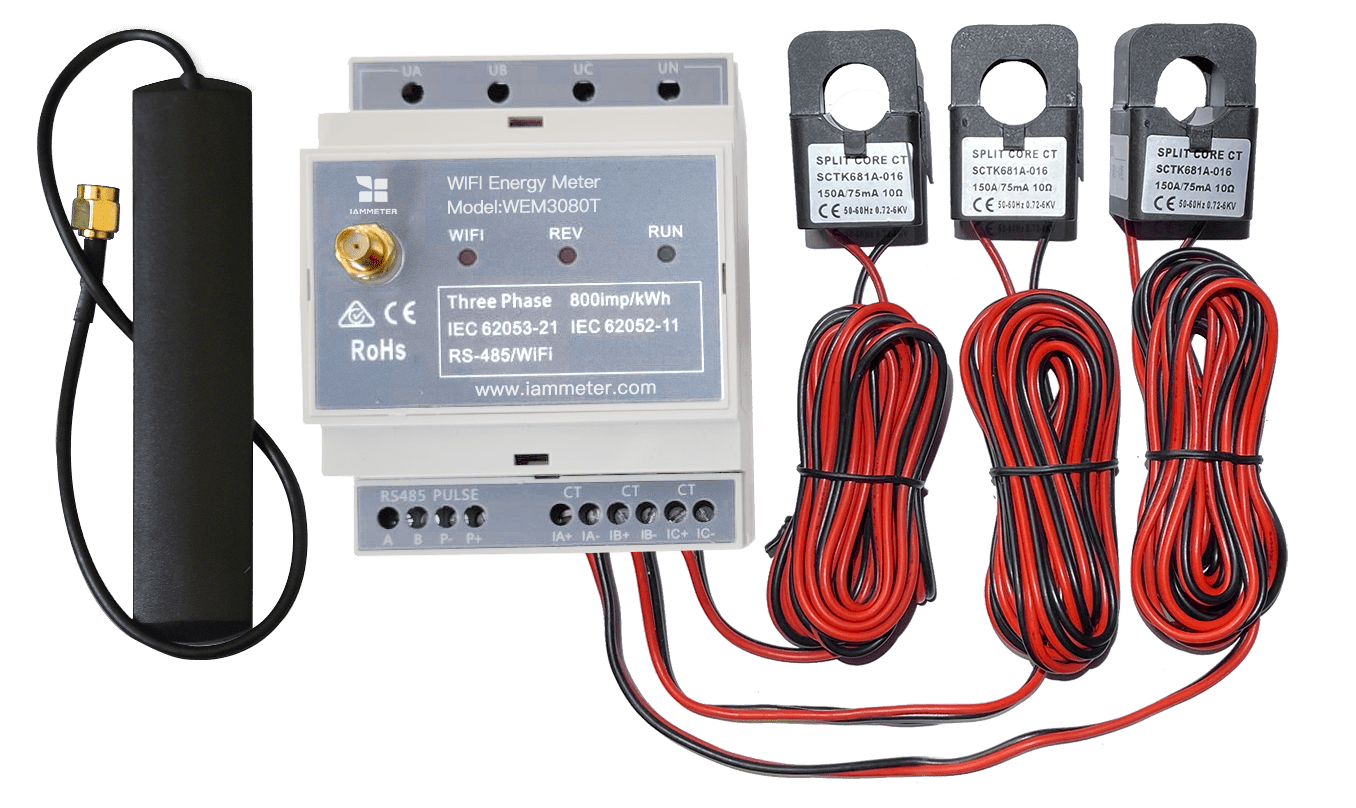
Three Phase Wi-Fi Energy Meter (WEM3080T)
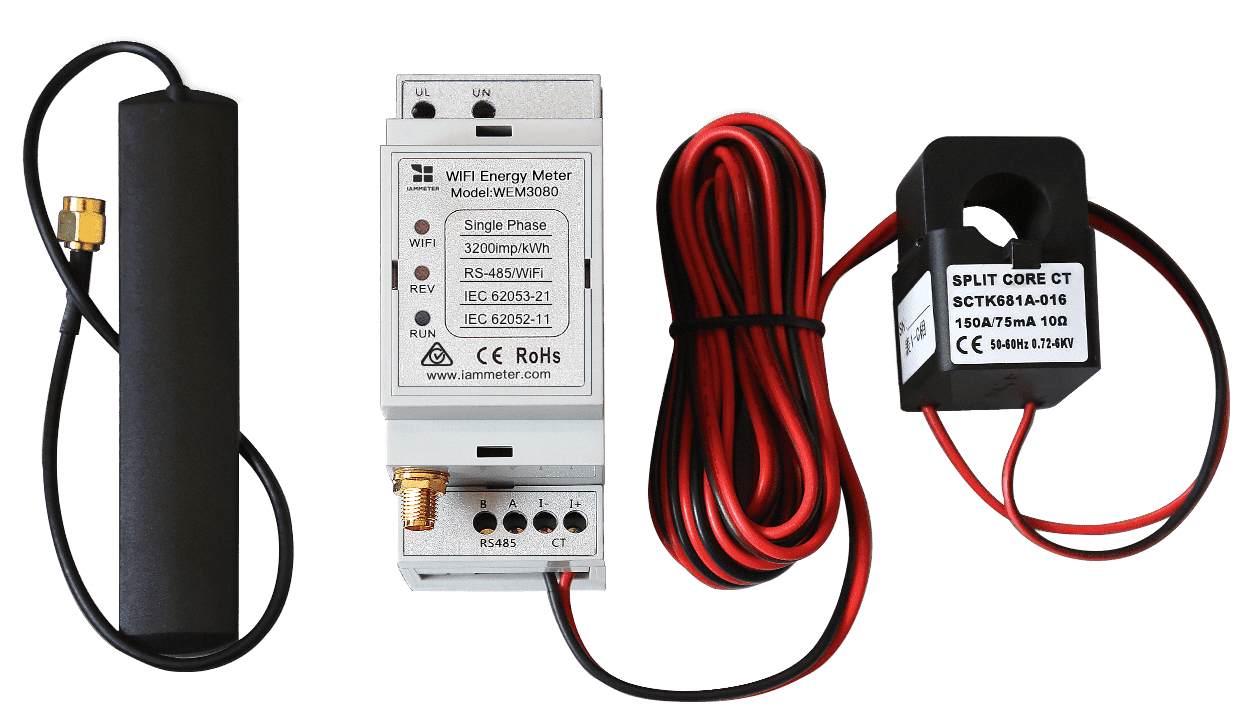
Single Phase Wi-Fi Energy Meter (WEM3080)
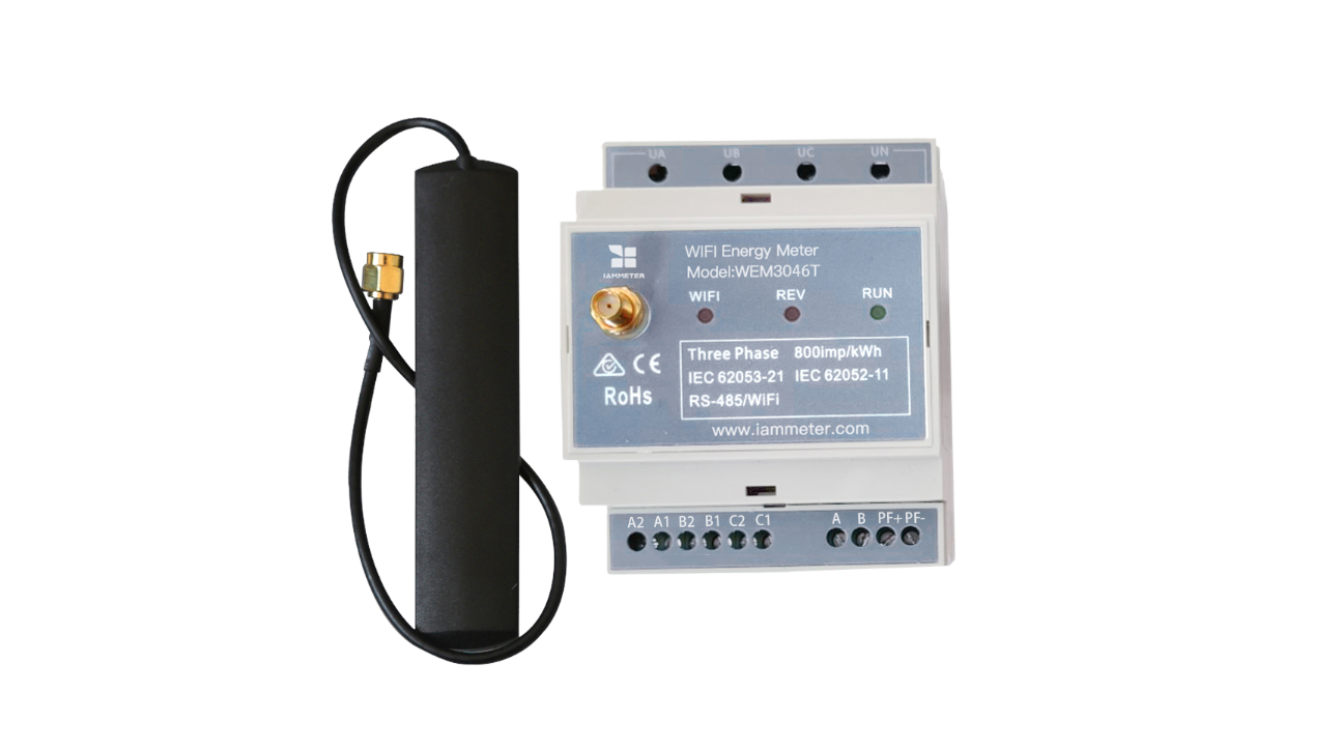
Three Phase Wi-Fi Energy Meter (WEM3046T)
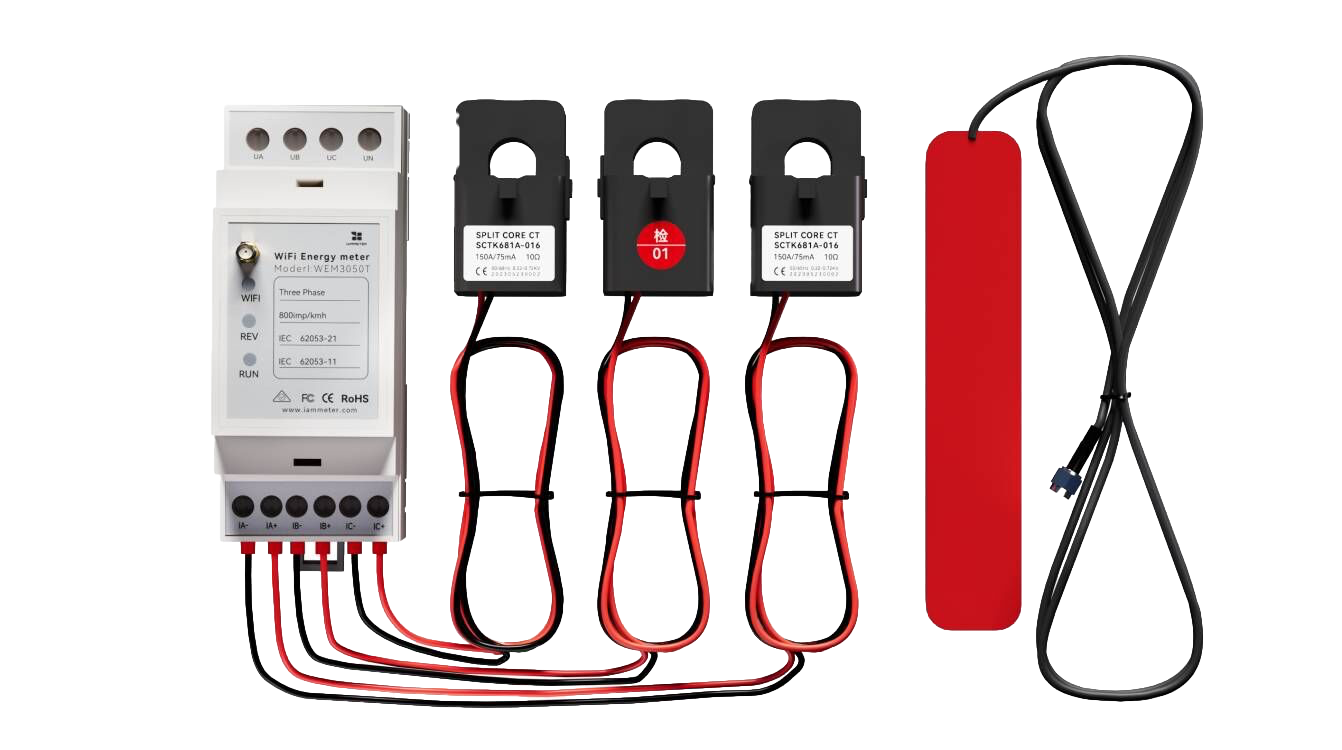
Three Phase Wi-Fi Energy Meter (WEM3050T)